
Subscription package upgrade will give you a good plan to reduce the cost of using the app.
To upgrade subscription package, kindly help me follow these steps below:
- Step 1: Go to your Shopify account settings.
- Step 2: Find Accessibility in the left menu and click on it to open the dropdown menu.
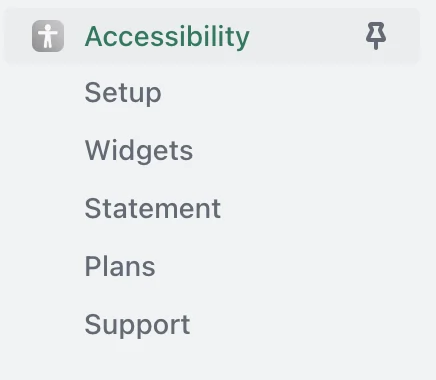
- Step 3: Select Plans to go to the subscription page.
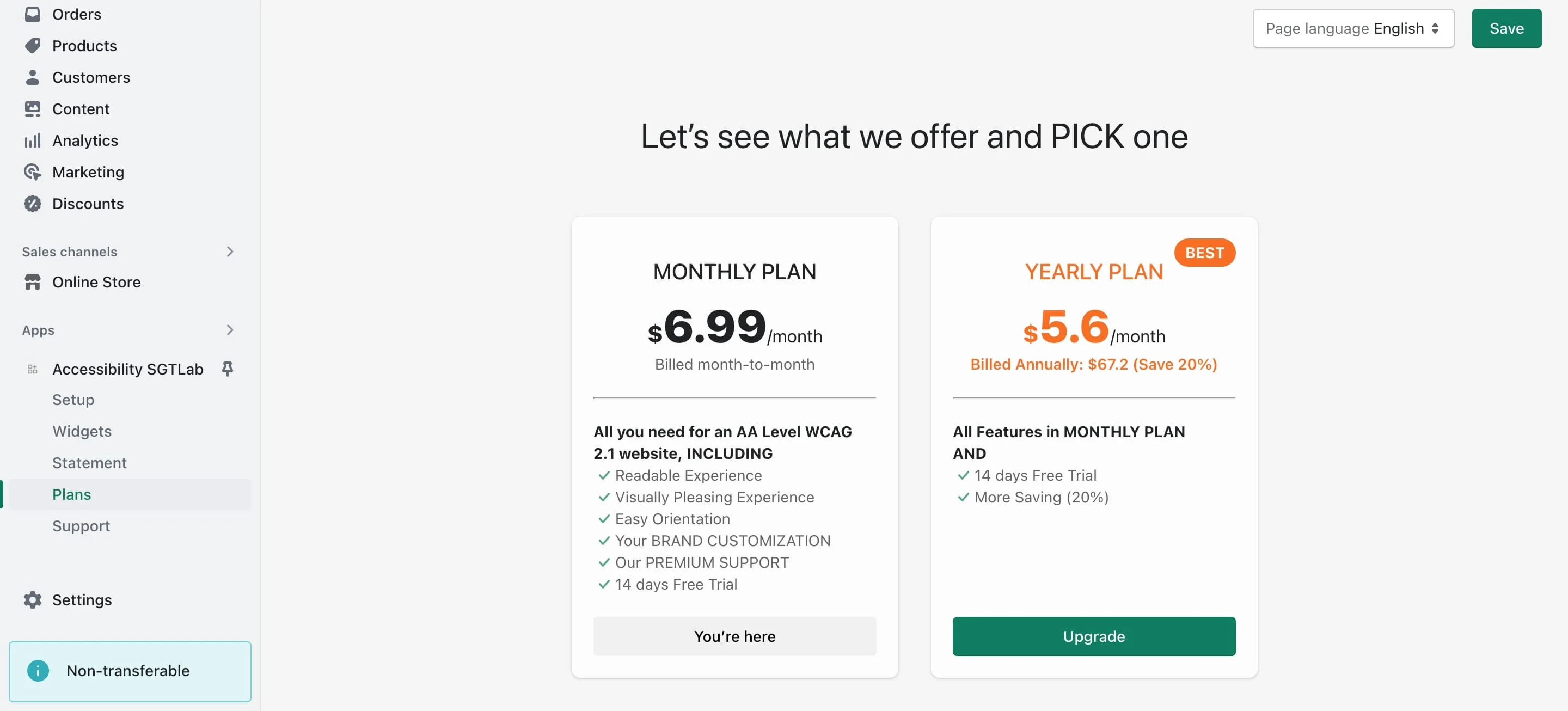
- Step 4: Choose the subscription plan you want to upgrade to and click Upgrade. You will be directed to the payment page.
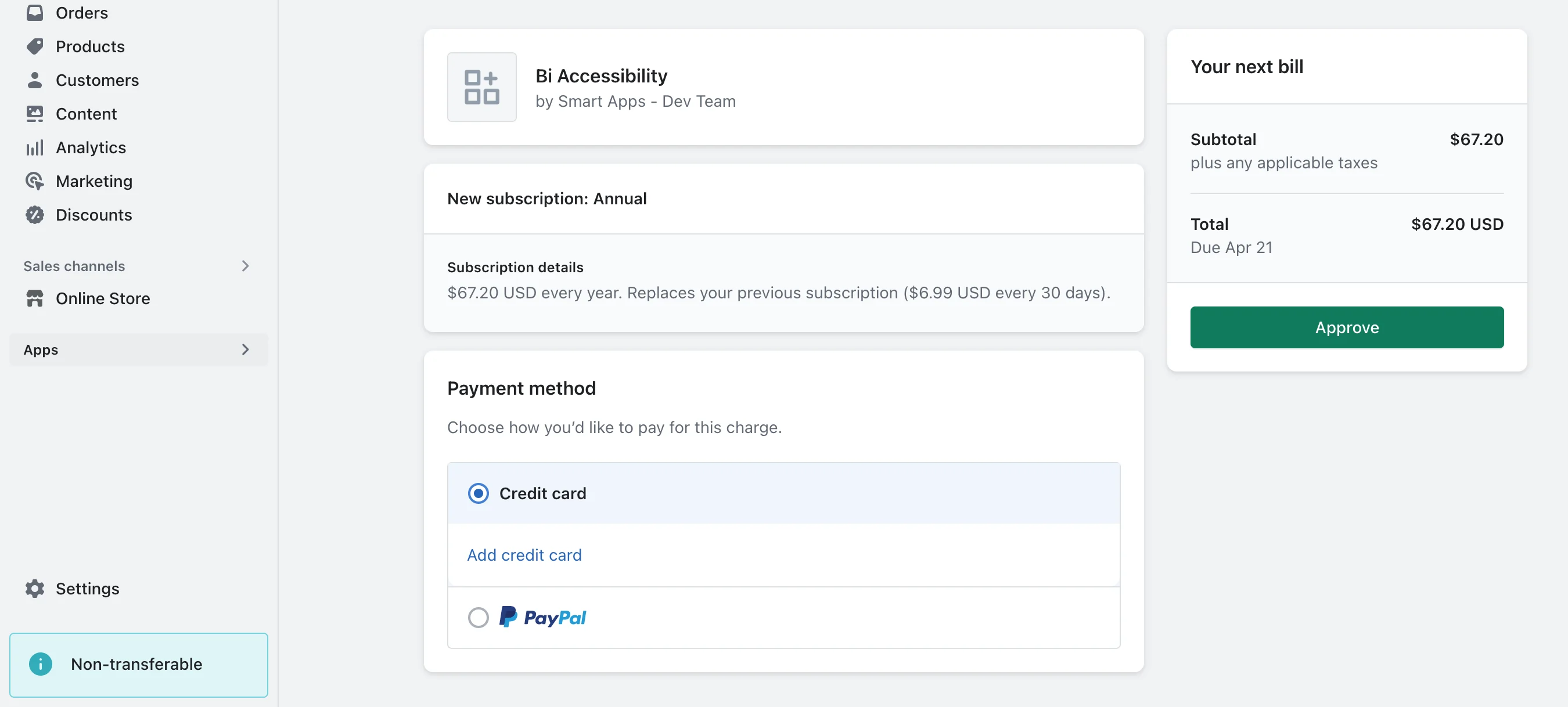
- Step 5: On the payment page, confirm and start your new subscription plan. Once the process is complete, you will receive a confirmation email. Your new subscription plan will take effect at the beginning of the next billing cycle.
More in Accessibility FAQs
- Is the app available in any languages?
- What is Accessibility?
- How do I subscribe to the app?
- Can I return the product and get a refund?
- Does the app have any in-app purchases?
- Does the app have free trials?
- What are the steps for installing Accessibility?
- Does Accessibility work with all themes and templates on Shopify?